
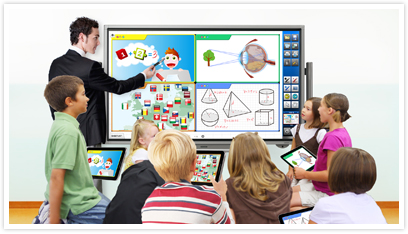
Top 5 Features of Smart Boards That Every Teacher Should Know
As classrooms continue to evolve with technology, smart boards are becoming indispensable tools for teachers. Gone are the days of chalk and whiteboards—smart boards offer an interactive and dynamic way to engage students in the learning process. Whether you`re new to using smart boards or a seasoned pro, it’s essential to understand the key features that can make your teaching more effective, interactive, and fun.
Here are the top 5 features of smart boards that every teacher should know:
1. Touch and Multi-Touch Functionality
Why It’s Important: One of the most significant advantages of smart boards is their touch-sensitive display. This feature allows both teachers and students to interact directly with the screen by writing, drawing, or moving objects using their fingers or a stylus. More advanced smart boards even offer multi-touch functionality, allowing multiple users to collaborate on the board simultaneously.
How It Enhances Learning:
- Students can actively participate in lessons by physically interacting with the content on the board.
- Teachers can quickly annotate presentations, solve math problems, or brainstorm ideas during lessons.
- Multi-touch features encourage group activities where students can work together, boosting collaboration and peer learning.
2. Screen Sharing and Device Integration
Why It’s Important: Smart boards are equipped with screen-sharing capabilities that allow seamless integration with other devices such as tablets, laptops, or smartphones. Teachers can mirror their screen, share student devices onto the board, or display multiple screens at once.
How It Enhances Learning:
- Teachers can present materials from their computer or tablet in real time, making transitions between different types of content (videos, presentations, etc.) smooth and efficient.
- Students can present their projects or solutions by mirroring their devices onto the smart board, fostering an interactive classroom environment.
- With multi-screen displays, teachers can show different resources side-by-side for comparative learning or to facilitate discussions.
3. Interactive Educational Tools and Apps
Why It’s Important: Smart boards come with built-in educational software or can be integrated with a wide variety of apps designed specifically for classroom use. These include interactive games, quizzes, lesson planners, and subject-specific resources for subjects like math, science, and language arts.
How It Enhances Learning:
- Teachers can use these tools to create interactive lessons that promote active participation. For example, math games, spelling quizzes, or interactive science diagrams bring abstract concepts to life.
- Apps often come with customizable templates that can be adapted to fit specific learning objectives, providing flexibility for different grades or subjects.
- Educational apps can track student performance, enabling teachers to assess individual or group progress in real time and adjust their teaching accordingly.
4. Cloud Storage and Collaboration
Why It’s Important: Smart boards often come with cloud connectivity, enabling teachers and students to store, access, and collaborate on documents and lesson materials from anywhere. This feature is especially useful for sharing resources and encouraging continuous learning outside the classroom.
How It Enhances Learning:
- Teachers can save lessons and notes directly to the cloud, ensuring that content is easily accessible for future lessons or review.
- Students can collaborate on group projects in real time, even from different locations, by accessing and contributing to the same document on the smart board.
- Parents can be more involved in their child’s education by accessing assignments and progress reports stored in the cloud, fostering stronger communication between school and home.
5. Multimedia Integration
Why It’s Important: With multimedia integration, smart boards allow teachers to incorporate videos, audio clips, images, and 3D models directly into their lessons. This feature helps break the monotony of traditional lectures and keeps students engaged through various forms of media.
How It Enhances Learning:
- Teachers can show educational videos or simulations directly from platforms like YouTube or other online resources, providing visual context to the material being taught.
- Audio features can be used to play sound effects, podcasts, or pronunciation guides, making lessons more immersive and helping students with auditory learning preferences.
- 3D models or interactive maps can be used for subjects like geography, history, or biology, giving students a hands-on learning experience with complex topics.
Conclusion: Embrace the Power of Smart Boards in the Classroom
Smart boards are more than just tools—they are game-changers for modern classrooms. Their ability to make learning interactive, engaging, and adaptable is unmatched. By understanding and utilizing these key features—touch functionality, screen sharing, educational tools, cloud collaboration, and multimedia integration—teachers can transform their classroom into a hub of innovation and creativity.
Whether you`re teaching elementary school students or advanced high school courses, smart boards can enhance every lesson, support diverse learning styles, and make education a more interactive experience for all. The potential of smart boards is vast, and mastering these features will empower you to deliver more dynamic and effective lessons that keep your students excited about learning.
