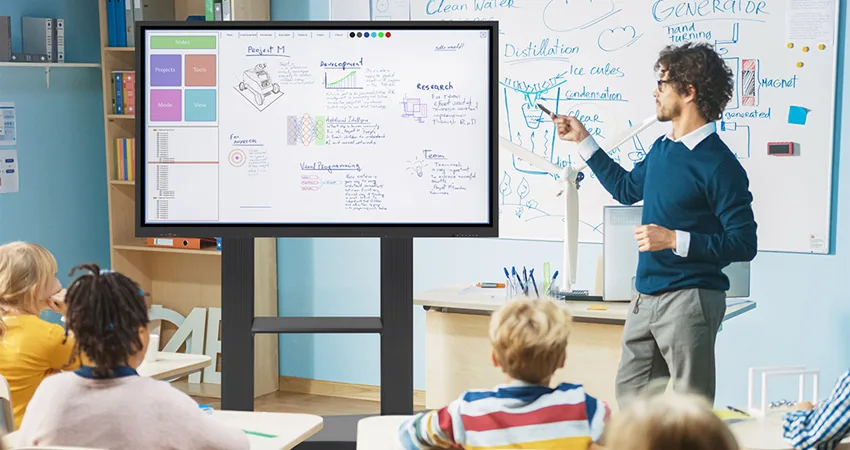
Teaching is a rewarding yet demanding profession, requiring educators to juggle lesson planning, grading, classroom management, and student engagement all at once. With the increasing pressure on teachers to manage time efficiently, the right tools can make all the difference. Interactive panels are one such solution, offering a modern way to simplify daily tasks, stay organized, and create more engaging learning environments without the stress.
In this blog, we’ll explore how interactive panels can help teachers save time and stay organized, making the teaching process smoother, more efficient, and, most importantly, more enjoyable.
1. Streamlined Lesson Planning and Delivery
Why It’s Important: Interactive panels come equipped with various tools that allow teachers to plan, prepare, and present their lessons all in one place. No more flipping between whiteboards, notebooks, or multiple devices—everything can be handled through a single interface.
How It Saves Time:
- Teachers can easily create, store, and organize lesson plans on the panel itself or sync them to the cloud. This makes accessing and modifying lessons quick and easy, without the need to carry around physical materials.
- Templates and pre-built resources for different subjects are often included with interactive panels, which means teachers don’t have to start from scratch when designing their lessons.
- Once a lesson is created, it can be saved and reused with minimal tweaks, allowing teachers to build a library of ready-to-use materials over time.
- Instant screen sharing makes transitioning between different lesson elements seamless—no more wasted time switching devices or struggling with connections.
2. Efficient Classroom Management and Student Engagement
Why It’s Important: Managing a classroom full of students can be chaotic at times. Interactive panels allow teachers to take control of the classroom environment with ease, keeping students engaged and lessons on track.
How It Saves Time:
- With interactive panels, teachers can use real-time polling, quizzes, or activities to assess student understanding on the fly. This eliminates the need for paper-based assessments and helps identify areas where students need more support without additional grading.
- Interactive timers and organizational tools built into the panel can help structure classroom activities, ensuring that lessons stay on schedule.
- By integrating multimedia elements (videos, interactive diagrams, etc.), teachers can capture and maintain student attention, reducing distractions and improving classroom focus, which saves time on redirection and discipline.
- Panels allow for instant feedback and grading with integrated tools. Teachers can evaluate student responses in real time, meaning they spend less time on manual grading after class.
3. Digital Note-Taking and Annotation
Why It’s Important: Interactive panels allow teachers to annotate directly on the screen during lessons, saving all notes digitally. This means teachers can document key points, mark up student work, or add important information without needing to use additional tools like notebooks or physical whiteboards.
How It Saves Time:
- Digital annotations made during a lesson can be saved and shared with students instantly, allowing them to review material without requiring extra handouts or printing.
- Teachers can highlight key parts of a lesson in real time, ensuring that important concepts are clearly understood without the need for post-lesson reviews.
- By saving these annotations for future lessons, teachers don’t need to rewrite or explain certain concepts multiple times—everything can be referred back to easily.
4. Seamless Integration with Other Tools and Apps
Why It’s Important: Interactive panels often support integration with third-party tools, apps, and platforms like Google Classroom, Microsoft Teams, or educational apps designed to support learning. This ensures that all educational materials are easily accessible and connected.
How It Saves Time:
- Teachers can import lesson materials directly from cloud platforms like Google Drive or OneDrive, cutting down on preparation time and reducing the need for printed resources.
- Integrated scheduling tools allow teachers to sync calendars and reminders, helping them stay on top of lesson planning, assignments, and classroom tasks without the need for separate tools.
- Collaborative apps built into the panel allow teachers to manage group activities without leaving the interface, keeping everything in one place and simplifying group work.
- Interactive panels eliminate the need for traditional note-taking and handouts, as lessons can be digitally distributed to students via apps or email, saving time on manual distribution and printing.
5. Simplified Assessment and Progress Tracking
Why It’s Important: Tracking student progress is a critical aspect of teaching but can often be time-consuming, especially with larger classes. Interactive panels offer features that make it easier to assess and track student performance over time.
How It Saves Time:
- Automated quizzes and assignments can be created and graded directly through the panel, providing instant results and feedback for students, which reduces the workload on teachers.
- Interactive panels allow teachers to track student progress digitally, with data on student performance stored securely and easily accessible. This eliminates the need for manual record-keeping and allows teachers to spot trends and adjust lessons based on real-time data.
- Teachers can use visual dashboards to quickly assess how students are doing on various assignments, making parent-teacher conferences or grading periods more efficient and less stressful.
6. Collaborative and Flexible Teaching Methods
Why It’s Important: Interactive panels are designed to promote both teacher-led instruction and student-centered learning. With the ability to integrate multiple teaching styles and resources, teachers can manage lessons more flexibly.
How It Saves Time:
- Teachers can easily switch between lesson formats—from videos to quizzes to group activities—without the downtime that typically occurs when switching between multiple tools.
- Collaborative features allow students to work together on the interactive board, minimizing the need for printed materials, and reducing the time teachers spend preparing group activities.
- Remote or hybrid learning can be managed from the same interface, meaning teachers don’t need to create separate materials for in-class and remote students. Everything is unified through the panel.
Conclusion: Empower Your Classroom with Time-Saving Interactive Panels
Interactive panels are not just about enhancing student engagement—they are powerful tools for teachers to stay organized, save time, and focus on what truly matters: teaching. With features like streamlined lesson planning, digital note-taking, seamless integration with apps, and real-time assessment, teachers can reduce their workload while maximizing classroom efficiency.
By incorporating interactive panels into your classroom, you can create a more structured, engaging, and productive learning environment that benefits both teachers and students. No more juggling multiple tools or losing precious time—everything you need is right at your fingertips!
BACK TO BLOG LIST